Plan the week.
Cook like you mean it.
A simple weekly meal planner for iPhone. Pick your recipes, fill in the week, and shop from one aisle-sorted grocery list. Free, offline, no account.
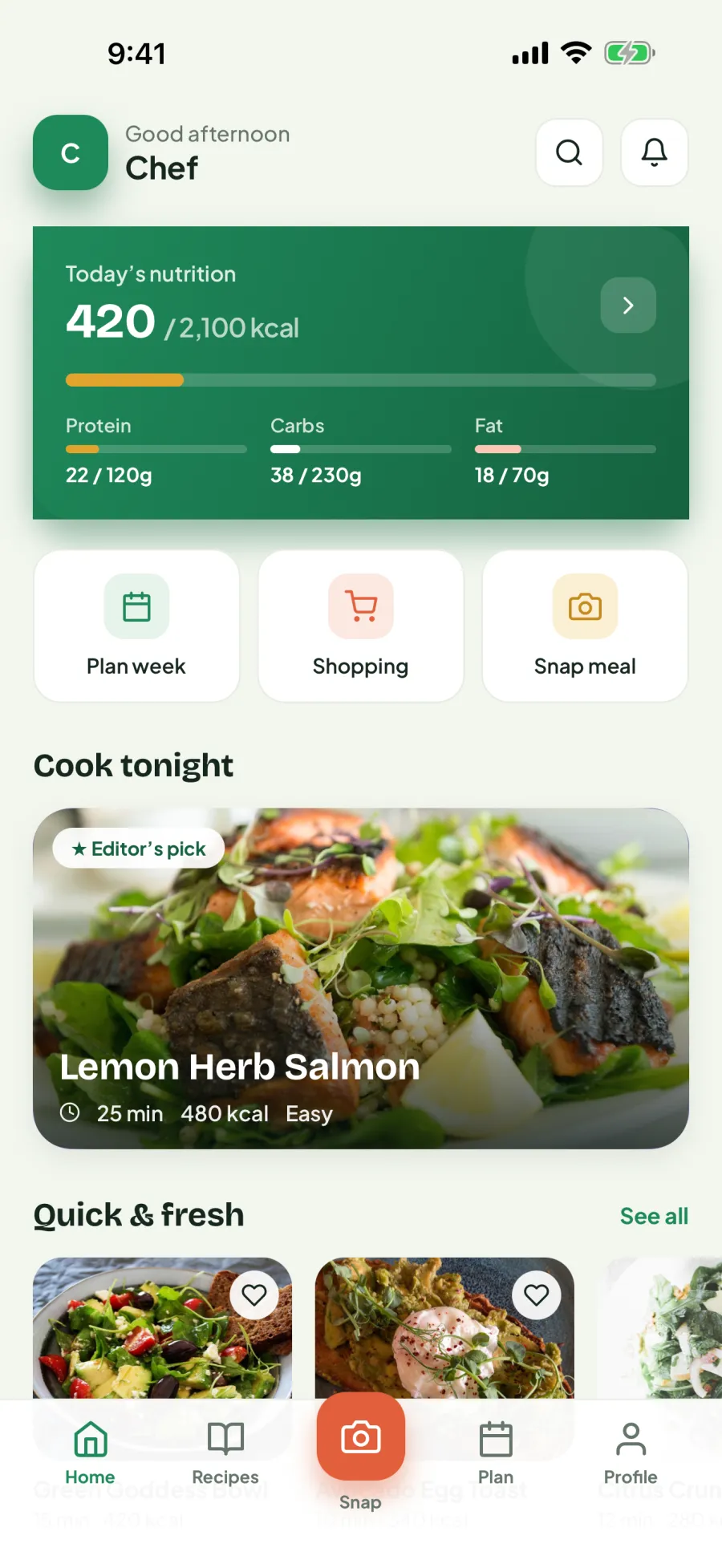
Everything dinner needs. Nothing it doesn't.
No more 6pm panic. Plan once on Sunday, coast all week.
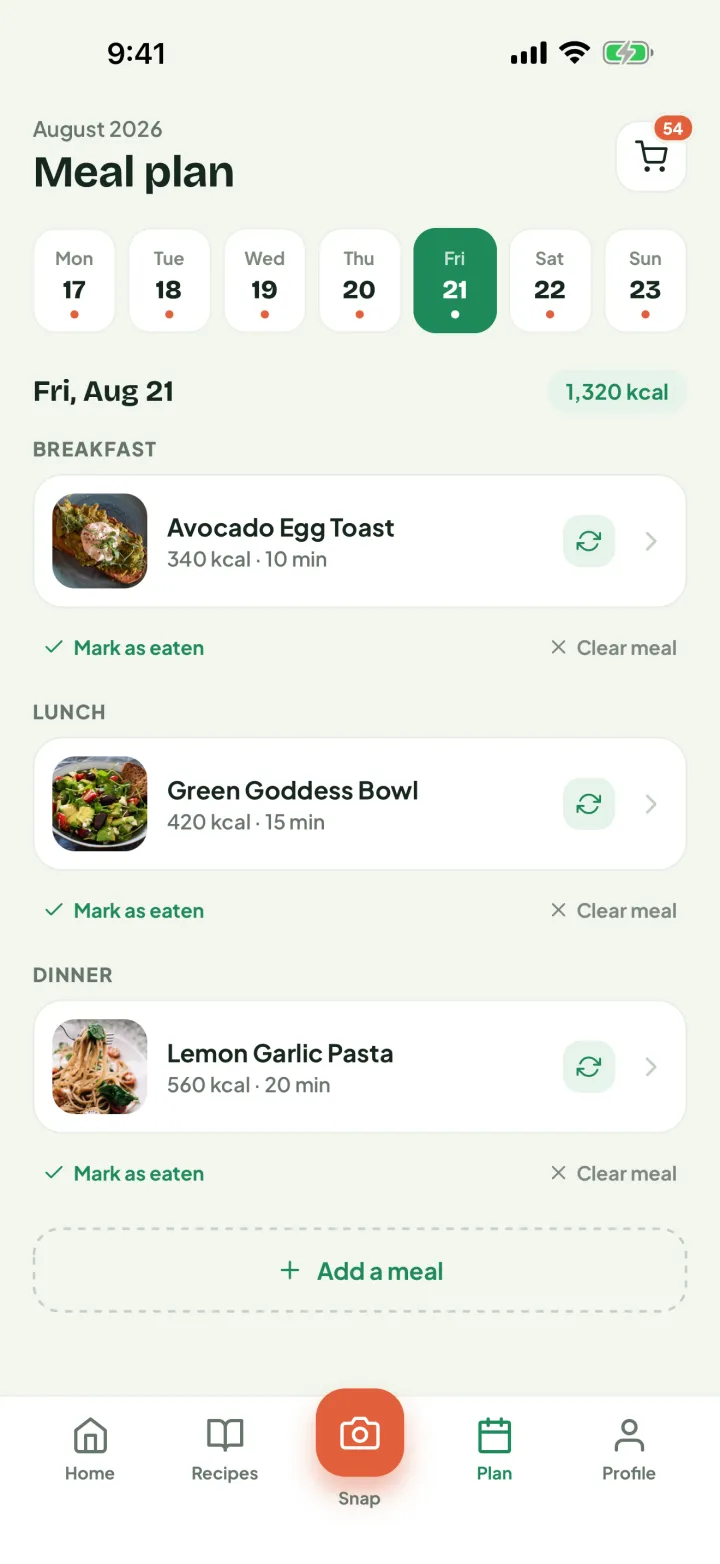
Plan your week
Drop recipes onto a day and a meal, set how many servings you’re cooking for, and tick them off as you eat. A whole week planned in a few minutes — no algorithm required.
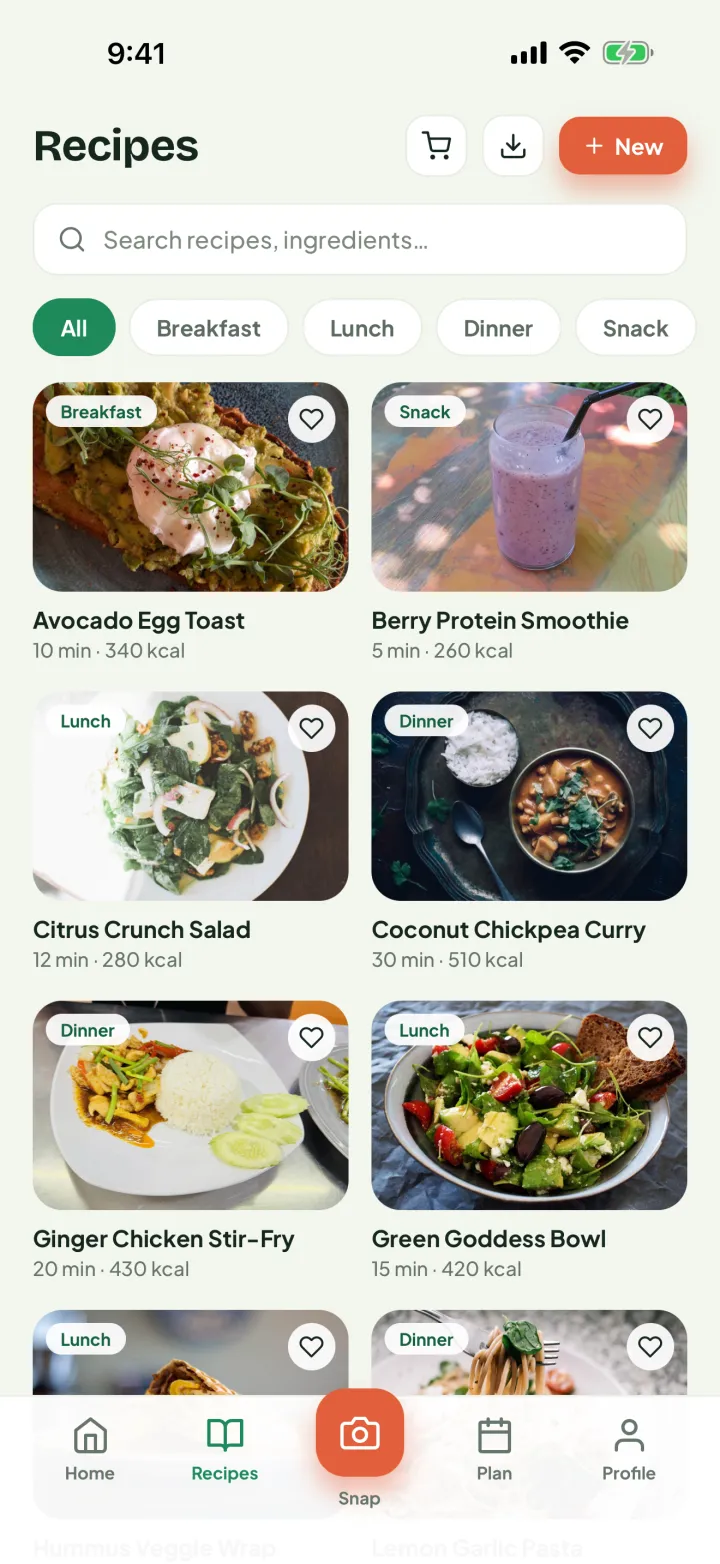
Your recipe box
Keep the recipes your house actually eats — type your own, paste one in as text, or save from the starter catalogue. Favourite the keepers, and search by name or by what’s in the fridge.
The list writes itself
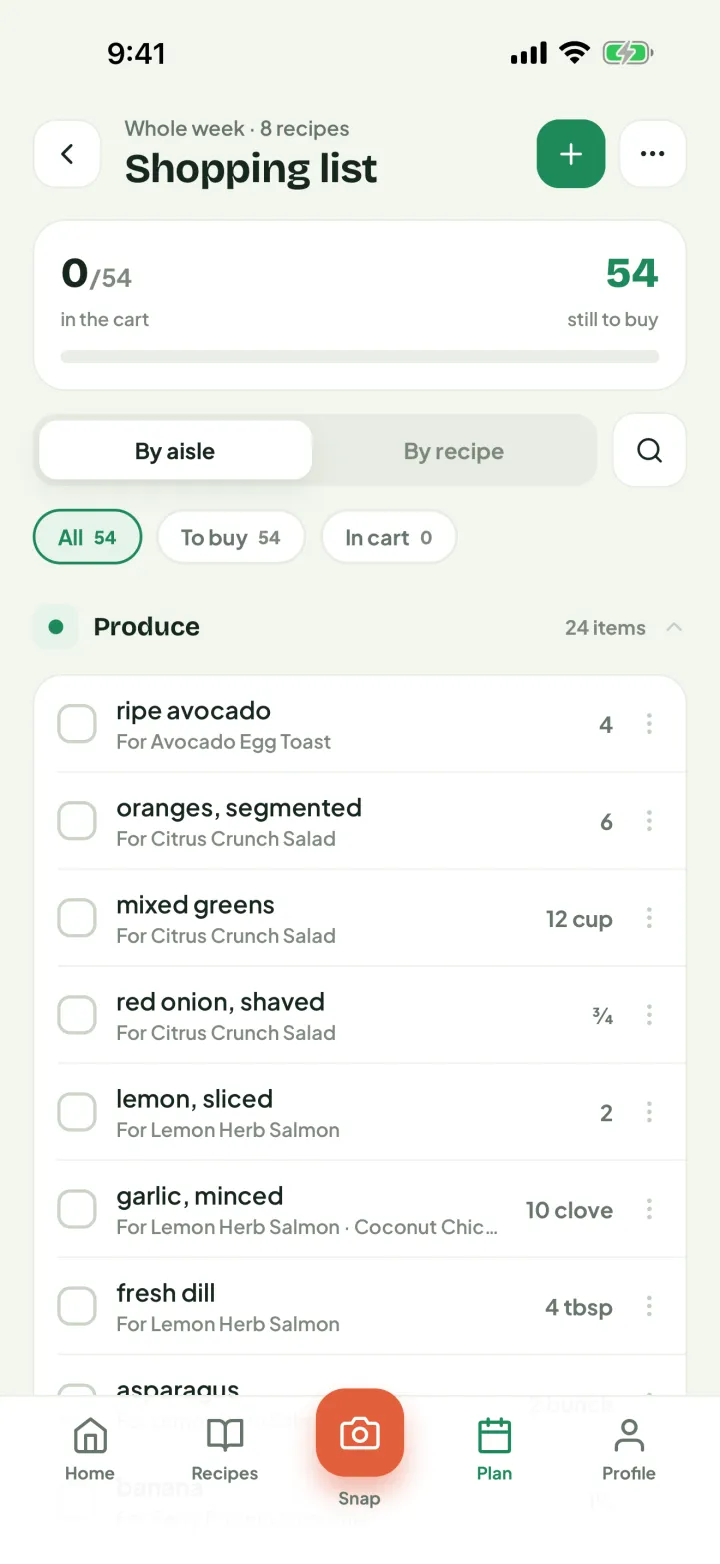
Every plan becomes an aisle-sorted list with quantities merged and each row labelled with the recipes that need it. Shop the whole week, or just the next three days.
Know what you ate
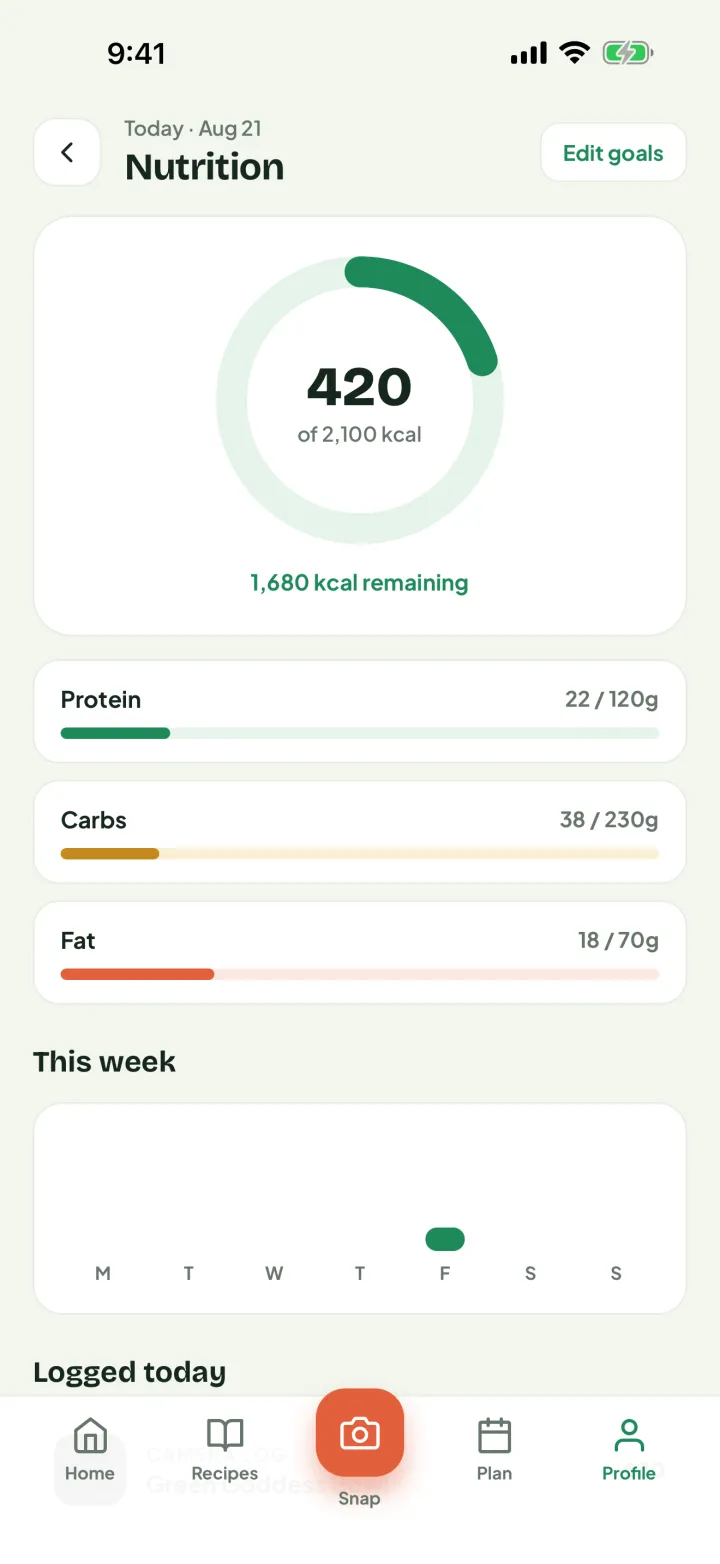
Log a meal straight from cook mode, or snap a photo and note what was in it. Set your daily targets and watch the calories and macros add up.
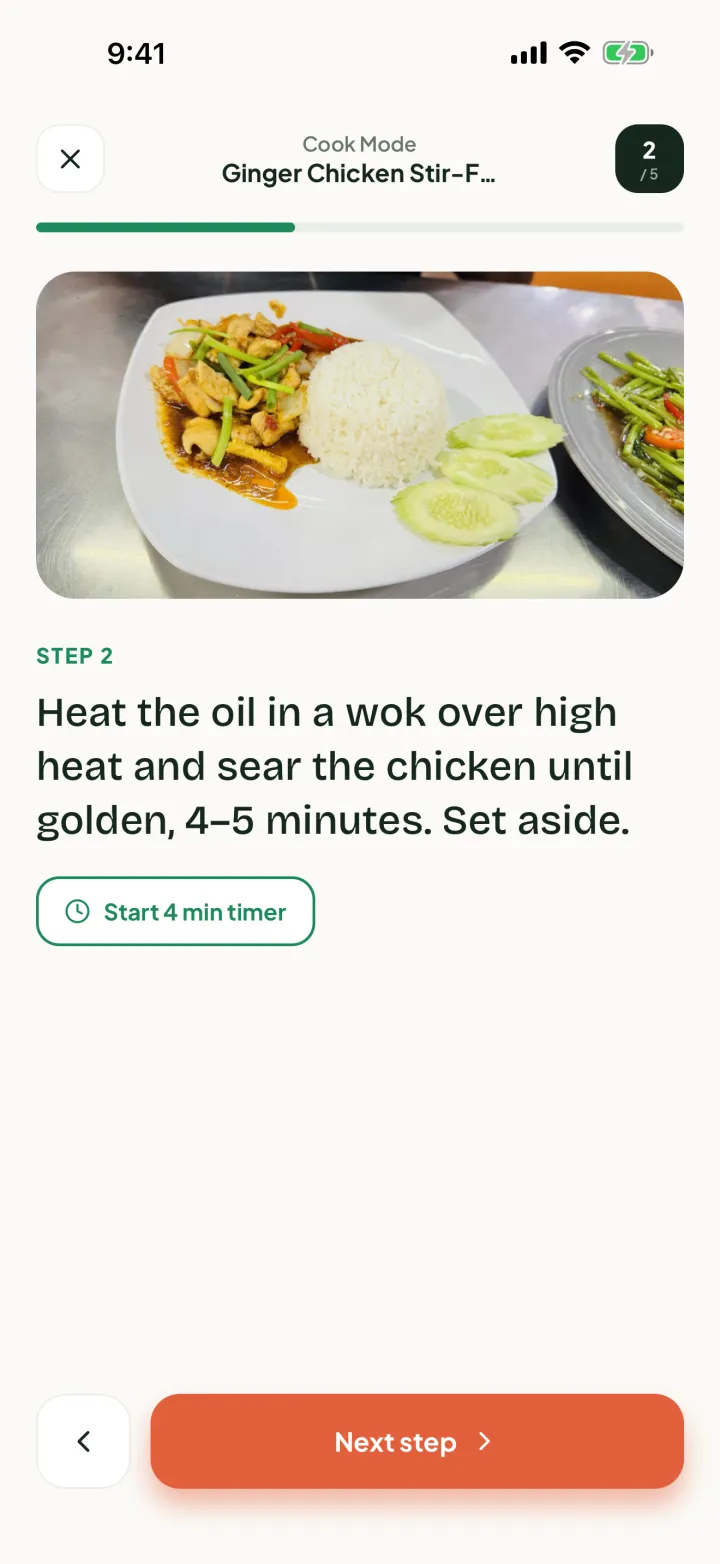
Cook mode
Big type, step-by-step, hands-free timers. Made for messy fingers and a phone propped on the flour jar.
Waste less, save more
Keep a pantry of what you already own and Cooklendar nets it off the list — so you buy what the week needs, not a third jar of cumin. Cooking a recipe draws it back down again.
See how it works before you download.
Plan the week, keep your recipes close, and shop in one trip — without it ever feeling like homework.
Free. The whole app.
Not a trial and not a teaser — every feature below is free, with no ads, no subscriptions, no in-app purchases and no account to make.
Everything in this release is free, and stays free for everyone who downloads it. If a paid tier ever arrives it will be for capability we add later, never for something you already have. See the Terms and Privacy Policy.
Fair questions. Straight answers.
Is Cooklendar really free?
Yes — all of it. There are no subscriptions, no in-app purchases and no ads, and nothing is held back behind a trial. Everything in this release stays free for everyone who downloads it. If a paid tier ever arrives it will be for capability we add later, never for something you already have.
Can I add my own recipes?
Yes. Type them in, or paste a recipe in as text and Cooklendar picks out the ingredients and steps for you. Add a cover photo from your camera or library, then search your box by name or by ingredient.
Does it work with my dietary restrictions?
Cooklendar does not filter by diet for you, but you choose every recipe that goes in your box — so your week only ever contains food you actually eat. Search by ingredient to find what works, and every recipe lists what is in it before you plan it.
Can my partner or family use one plan?
Not yet. This release keeps everything on your phone, so there is no syncing between devices. A shared household plan is what we want to build next — it needs an account to work, which is exactly why it is not in this version.
Is my data private?
Completely. Cooklendar has no accounts and no servers, so your recipes, plans, grocery lists, pantry, nutrition log and photos are saved on your device and never transmitted. There is no analytics and no tracking.
Can I get my data back out?
Any time. Settings has a one-tap export that writes everything — recipes, plans, shopping lists, pantry, nutrition log and settings — to a plain JSON file you can save or send wherever you like. Settings will also erase all of it permanently, if you would rather.
How to plan a week you'll actually cook.
Method, not marketing — plus an honest look at what meal planner apps charge for and why.
How to meal plan for a week
A seven-step method that survives contact with a real week.
Meal planners without a subscription
Why these apps charge monthly, and how to read the word "free".
Offline meal planners and apps with no account
What on-device planning gives you — and what it takes away.
Dinner's already decided.
Free to download, every feature included. Plan your first week in one sitting.
Download on theApp Store